

Debugging is an unavoidable part of every web developer’s journey. Whether you are building a custom MVC application from scratch or maintaining a large-scale enterprise system, unexpected execution halts, silent database failures, and memory leaks can quickly stall your production pipeline. When working with complex applications, relying solely on basic printing statements like var_dump() or print_r() is no longer enough. To pinpoint application bottlenecks efficiently, you need the right set of best PHP debugging tools tailored for modern development standards.
In this comprehensive guide, we will break down the absolute best tools for troubleshooting PHP 8+ codebases—ranging from interactive CLI debuggers and browser-based interfaces to full-fledged APM loggers. We will also explore actionable techniques for setting up error logs, analyzing execution call stacks, and optimizing overall code reliability.
Why Traditional PHP Debugging Falls Short
For years, developers relied on standard built-in functions to trace runtime variables. While simple, these techniques come with heavy limitations in modern development workflows:
- Code Pollution: Hardcoding output statements requires manual cleanup before pushing changes to git repositories or deployment servers.
- Context Blindness: Standard functions display raw output at execution time but fail to show call stack traces, variable mutations across scopes, or database query timings.
- Production Risks: Leaving leftover output statements exposed in production can leak delicate system data, database schemas, and environmental variables.
By leveraging dedicated toolsets, you gain instant insight into memory consumption, SQL queries, HTTP headers, and stack traces—without risking security leaks or messy code bases.
1. Xdebug: The Industry Standard Step Debugger
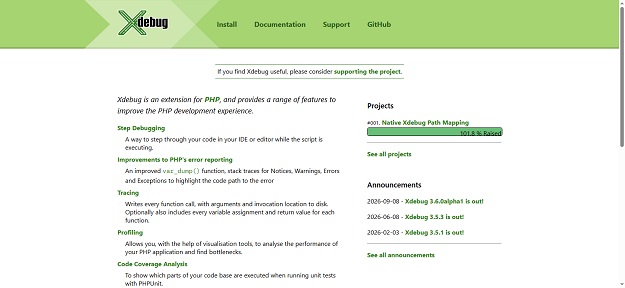
When discussing the best PHP debugging tools, Xdebug remains the indisputable gold standard. Created by Derick Rethans, Xdebug is a native PHP extension that completely transforms how developers diagnose execution logic.
Unlike standard print techniques, Xdebug allows you to set conditional breakpoints, pause code execution mid-flight, inspect internal variable states, and step line-by-line through your functions in real time.
Key Features:
- Step Debugging: Pause execution inside popular IDEs like VS Code, PhpStorm, or Sublime Text to step over, into, or out of active functions.
- Flamegraphs & Profiling: Generate detailed callgraphs to identify heavy functions consuming excess CPU cycles.
- Enhanced Stack Traces: Replaces default PHP notices and warnings with detailed, color-coded execution paths.
Quick Setup Snippet (Xdebug 3):
To enable step debugging in your local php.ini configuration file:
[xdebug]
zend_extension=xdebug.so
xdebug.mode=debug,develop
xdebug.start_with_request=yes
xdebug.client_port=9003
xdebug.client_host=127.0.0.1
2. Spatie Ray: Desktop-Based Visual Debugging
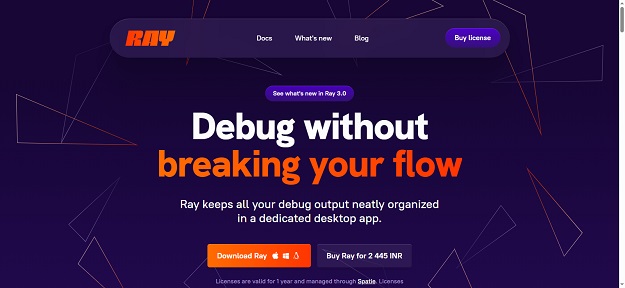
If full-fledged step debugging feels overly complex for quick sanity checks, Spatie Ray offers a brilliant modern alternative. It is a dedicated desktop app (available on macOS, Windows, and Linux) that intercepts debug calls sent from your application.
Instead of outputting text directly onto your browser screen—which breaks JSON responses or corrupts HTML layouts—Ray safely sends debug data straight to an isolated desktop interface.
Why Developers Love Ray:
- Clean Output UI: Color-code your logs, measure execution time intervals, and pause code without ruining API responses.
- Framework-Agnostic: Offers dedicated packages for Laravel, WordPress, Symfony, Yii, and vanilla PHP projects.
- Query & Mail Inspection: Instantly view executed SQL queries, bindings, and rendered email views in dedicated panels.
3. PsySH: Interactive REPL for Modern PHP
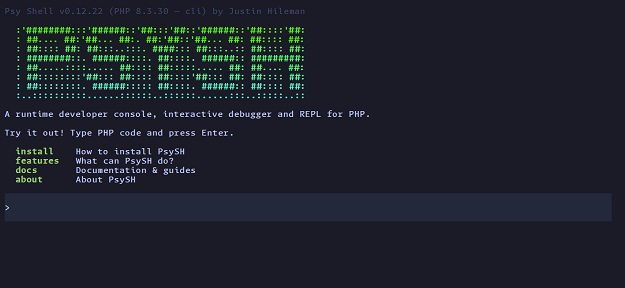
For terminal enthusiasts who prefer running quick tests without launching a web browser, PsySH acts as an interactive runtime developer console (REPL) for PHP.
Included by default inside Laravel (via php artisan tinker), PsySH allows developers to test code logic on the fly, inspect object states interactively, and execute raw code snippets in isolated environments.
Core Highlights:
- Live Execution: Test expressions, class methods, and regex patterns directly inside your terminal session.
- Interactive Breakpoints: Insert
eval(\Psy\sh());inside any PHP script to halt execution and inspect local scope variables inside your terminal. - Inline Documentation: Look up PHP function signatures and docblocks straight from the CLI shell prompt.
4. Laravel Debugbar: The Web Performance Toolbar
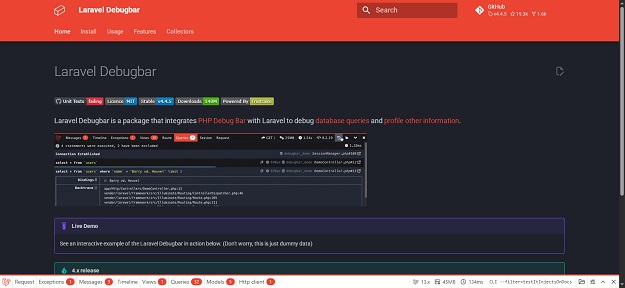
If you build applications using the Laravel framework, Laravel Debugbar (maintained by Barry vd. Heuvel) is an absolute must-have package during local development.
It injects an unobtrusive developer toolbar at the bottom of rendered HTML pages, displaying real-time metrics for every incoming HTTP request.
What You Can Monitor:
- Executed Database Queries: Track raw SQL statements, execution duration in milliseconds, and duplicate database calls causing N+1 query bottlenecks.
- Rendered Views & Gates: See which Blade templates were loaded along with passed variables and authorization checks.
- Memory Usage & Route Metadata: Monitor total peak RAM allocation alongside controller names and middleware stacks.
5. Monolog: The Essential Logging Framework
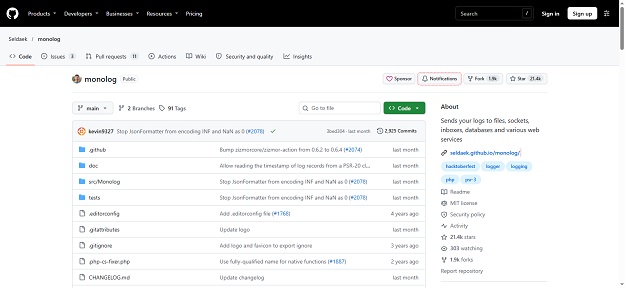
Debugging is not restricted to local environments; tracking production issues requires robust logging mechanisms. Monolog is the defacto standard logging library used by Symfony, Laravel, and individual modern PHP components.
Compliant with the PSR-3 logging standard, Monolog routes application logs to text files, database instances, Slack channels, or centralized log management servers.
Example: Writing Standard Logs with Monolog
use Monolog\Logger;
use Monolog\Handler\StreamHandler;

// Create a log channel
$log = new Logger('checkout_system');
$log->pushHandler(new StreamHandler(__DIR__ . '/logs/app.log', Logger::WARNING));

// Add records to log
$log->warning('Payment gateway responded with elevated latency', ['latency_ms' => 1420]);
$log->error('Order processing failed for User ID', ['user_id' => 4092]);
6. Sentry & Bugsnag: Real-Time Application Performance Monitoring (APM)
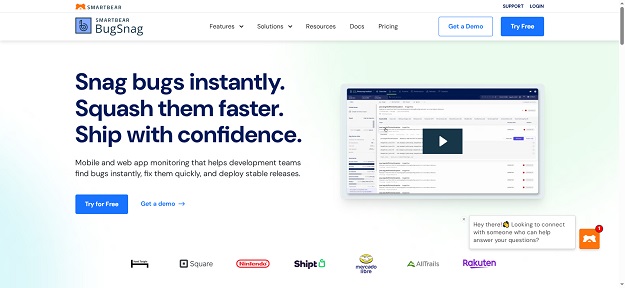
When applications scale to production, relying solely on local error log files becomes impractical. Cloud-based Error Tracking & APM tools like Sentry and Bugsnag continuously track user-facing exceptions in real time.
Key Benefits for Production Environments:
- Instant Alerts: Receive notifications via Email, Slack, or Teams as soon as an unhandled exception impacts a real user.
- Breadcrumbs & User Context: Review exact user actions, browser specs, IP data, and code lines that led to the execution failure.
- Release Health Monitoring: Track error rate spikes immediately after releasing new code updates or patches.
Comparing the Top PHP Debuggers
Here is a quick breakdown to help you pick the right tool for your specific application setup:
| Tool Name | Primary Category | Best Suited For | License / Cost |
|---|---|---|---|
| Xdebug | Step Debugger & Profiler | Deep local troubleshooting & line-by-line inspection | Free / Open Source |
| Spatie Ray | Desktop Debug App | Fast visual logging & query inspection | Paid (Free trial available) |
| PsySH | Terminal REPL / CLI | Testing snippets & CLI debugging | Free / Open Source |
| Laravel Debugbar | Browser Dev Toolbar | Laravel web request profiling & SQL optimization | Free / Open Source |
| Monolog | PSR-3 Logger | Structured file & service logging | Free / Open Source |
| Sentry | APM & Exception Tracker | Production error logging & stack analytics | Freemium |
Wrapping Up: Building a Modern PHP Debugging & Development Stack
Selecting the best PHP debugging tools ultimately depends on your application’s architectural complexity, infrastructure scale, deployment environment, and team workflow. Transitioning away from legacy, manual output techniques like temporary var_dump() calls toward structured debugging toolchains dramatically reduces troubleshooting hours, prevents accidental data leaks in production, and ensures cleaner, maintainable codebases across your entire development lifecycle.
Relying solely on ad-hoc print statements in complex web applications leads to hidden performance bottlenecks, unhandled edge-case failures, and difficult-to-trace state mutations. By establishing a modern diagnostic workflow, you gain full visibility into variable states, database execution cycles, framework lifecycles, and memory utilization patterns at every stage of execution.
To construct a highly resilient, scalable, and efficient development pipeline, we strongly recommend implementing a comprehensive three-tiered debugging architecture tailored for modern standards:
- Tier 1: Local Step Debugging & CLI Sandbox Testing: Integrate Xdebug 3 directly into your modern IDE (such as VS Code or PhpStorm) for deep line-by-line inspection, variable scope analysis, and accurate call stack tracing during core business logic implementation. For fast terminal-based evaluation without launching a web browser, interactive REPL consoles like PsySH offer instant feedback for quick code experiments.
- Tier 2: Visual Request Inspection & Database Profiling: Utilize lightweight visual profilers like Spatie Ray or framework-specific tools such as Laravel Debugbar during daily feature construction. These interfaces allow you to analyze active SQL query bindings, trace total RAM allocation spikes, inspect rendered template components, and catch micro-bottlenecks like N+1 database queries before code is merged into primary repositories.
- Tier 3: Enterprise Production Monitoring & Structured Logging: For live staging and production environments, combine standard-compliant logging interfaces like Monolog with real-time cloud APM services such as Sentry or Bugsnag. This setup ensures immediate notifications for unexpected runtime crashes, tracks end-user impacts automatically, and captures precise breadcrumbs without exposing diagnostic outputs to your live users.
Mastering modern error diagnosis and profiling techniques represents just one core pillar of building secure, high-performance back-end web applications. To further strengthen your core application architecture and level up your software engineering capabilities, explore our in-depth guides on How to Create Pagination in PHP and MySQL (Step-by-Step) as well as our complete step-by-step tutorial on How to Export Data to Excel Using PHP and MySQL to export data to Excel without any fuss.
Ultimately, a disciplined approach to code quality, automated error tracking, and continuous application monitoring separates casual web scripts from enterprise-ready platforms. By integrating the right toolchain into your daily coding habits, you eliminate hours of wasteful troubleshooting, accelerate code delivery cycles, and provide a stable, crash-free experience for your end users.


