

Open source CMS have provided a great platform to us for developing the best, user-friendly, flexible, SEO-friendly, complex website in a simplified manner. You can easily customize the website that you want to develop for your personal or professional use. There are various themes and plugins provided by the company to make the most professional and elegant website. Now, after you have successfully developed the website, you want it to be perfect in providing a great user experience to your visitors. The loading time of your website should be faster in order to make the user experience of your visitors great. If it is slow, then you will face higher bounce rates on your website. To know the speed of the website, there are various tools available. Utilizing reliable and best website speed testing tools allow site owners to identify hidden performance bottlenecks, analyze server response times, and optimize asset delivery. When visitors land on a slow site, bounce rates spike almost instantly. Whether running an e-commerce storefront or a tech blog, regularly benchmarking your infrastructure helps ensure a seamless user experience and protects your organic search visibility.
Let us have a look at the 10 best website speed testing tools that can help to know the speed of your WordPress site.
Pingdom website speed test
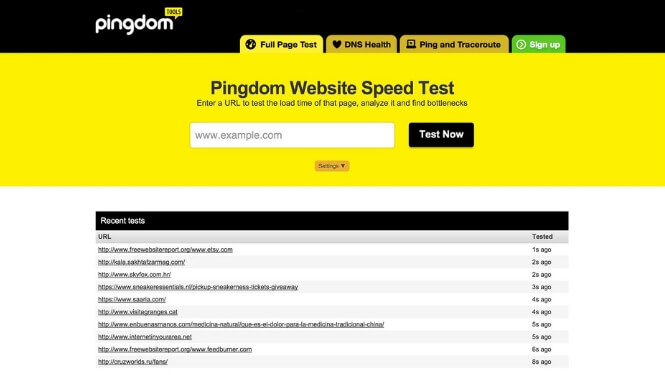
This speed test is one of the most popular speed test available on the web. It is easy to understand, easy to use and with the help of it, you can easily improve the performance of your website.
Google Chrome web browser is used for testing the loading speed of the website so that the experience of the user is known at the time when the website is loaded. The results will show you a complete waterfall chart and different data snapshots that will help you to know what is going on your site. It also provides the best recommendations to be implemented for increasing the speed of your site.
The test results provided to you by Pingdom are presented in a clear and concise way. That’s why it is one of the favorite tools for measuring the speed of the website.
Check Here
Google PageSpeed Insights
The Google PageSpeed Insights is another very popular tool for testing the speed of your website. The best part of this tool is that it provides insights into what your website visitors think about your site performance from the perspective of Google. Each and every website owner wants to know what Google is thinking about their website so is the reason for the popularity of this tool.
This tool fetches your website twice: for the first time it does for the desktop user and for the second time, it does for the mobile user. Then, the performance of your website is graded based on 10 different performance metrics.
You have to keep a goal of achieving at least the score of 85 on both the desktop and the mobile version of your WordPress development site. But, you should also remember that this the measure of what Google thinks of your site. This tool is used to get the best practices about our website for improving the performance of the site such as:
You can know which JavaScript and CSS files are in a render-blocking position.
You can know whether the browser caching plugin is working the way it is expected to work or not.
And what are the other specific things that you can do for improving the speed of the website?
This tool is better used for identifying and fixing the problems rather than for knowing the time in which the website gets loaded. Know the problems and fix them with this too and measure the speed of your website with some other tool.
Check Here
YSlow
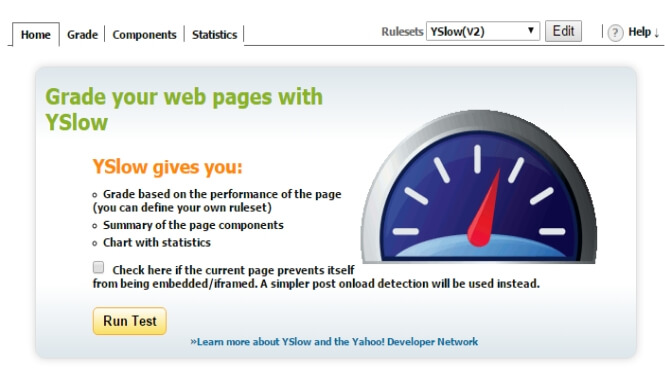
It is an open-source tool that is used for analyzing any website and for comparing it to the rules of Yahoo for high-performance websites. The test results are given as a checklist for improving the performance of the site.
This tool is not used for measuring the page load speed of the website but it is rather used in the same way as Google Page Insights is used for identifying and solving the problems of the site.
There are a number of ways you can use the YSlow tool. You can install the Chrome Browser Extension and run the test inside it or you can run a GTMetrix test and then select the tab named YSlow from the dashboard results.
Check Here
GTMetrix

The results produced by this tool are similar to that of Pingdom speed test. This tool runs the site through the YSlow tests and Google PageSpeed Insights and the results are displayed in the GTMetrix dashboard.
The website speed test will run from Vancouver, Canada if you don’t sign up for an account. You will get the access to seven different testing locations if you sign up for a free account. The results of this tool rank higher due to comprehensiveness and convenience. If you want only one testing service than this tool will be perfect for you.
Check Here
Load Impact
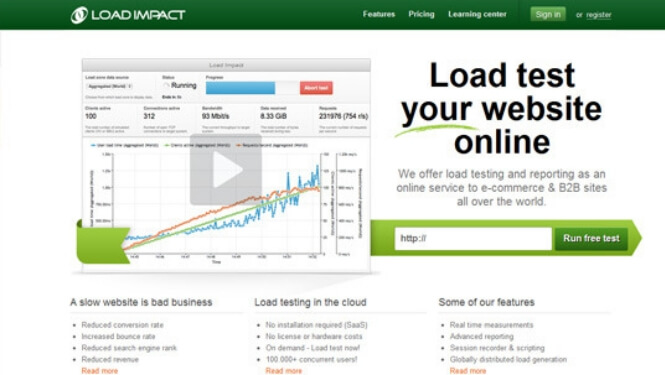
This test will measure the performance of the server while a number of different virtual users browse your site at the same time. This test will take 5 minutes and 25 simultaneous users will be browsing your site. The purpose of this tool is to see that whether your server is able to handle a load of multiple users at the same time without slowing down or not.
You will be able to know whether your server goes down while handling multiple users at the same time or not and if it does so you will be able to take the immediate steps to solve this problem. You can opt for some better and efficient server so that the request from multiple users can be handled properly.
If you need more than 25 virtual users on your site even if your site is not that popular then this tool can help you out with this. This tool can send hundreds and thousands of virtual users to your website if you sign up for a monthly plan.
Check Here
6. Google Lighthouse in Chrome DevTools
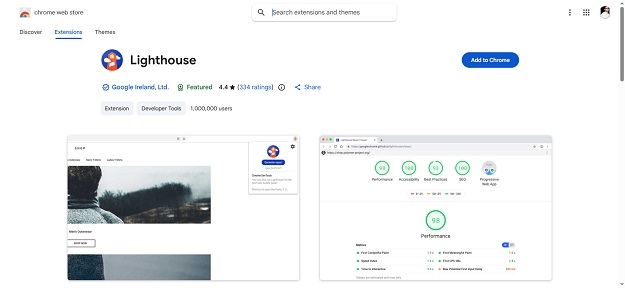
Built directly into the Google Chrome browser, Lighthouse enables instant local audits. It provides detailed performance scores along with accessibility, SEO, and best-practices metrics, allowing developers to test changes in real-time before pushing updates live.
Check Here
7. DareBoost
DareBoost goes beyond simple speed testing by offering comprehensive site audits and quality analysis. It compares your page speeds against competitors, delivers custom speed optimization tips, and identifies potential security risks that could slow down server response.
Check Here
8. WebSitePulse
WebSitePulse provides detailed diagnostic reports focusing on server performance and component load times. It tracks DNS resolution speed, connect time, and first-byte response from global testing locations, helping you evaluate whether your web hosting provider meets performance standards.
Check Here
9. Uptrends

Uptrends offers a powerful website speed test that simulates real-browser performance across multiple desktop and mobile devices. It generates detailed waterfall charts and provides clear breakdowns of third-party script impacts, enabling developers to isolate external plugins or ad scripts causing slowdowns.
Check Here
10. KeyCDN Speed Test
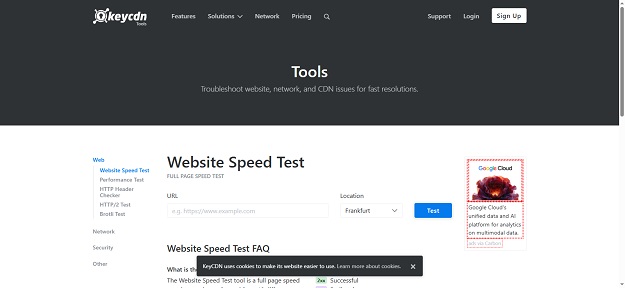 KeyCDN offers a lightweight, extremely fast speed testing tool designed for instant checks. It allows you to test page loading performance simultaneously across 14 different global locations, making it perfect for verifying whether your Content Delivery Network (CDN) is serving cached assets efficiently worldwide
Check Here
Key Performance Metrics You Must Monitor
When reviewing test reports from these platforms, focus on these critical benchmarks:
# Time to First Byte (TTFB): How quickly your web host’s server responds to an initial request.
# Largest Contentful Paint (LCP): The time it takes for the main content block of a page to render completely.
# Cumulative Layout Shift (CLS): Measures visual stability to prevent unexpected page elements from shifting while loading.
# Total Blocking Time (TBT): Tracks script execution delays that prevent users from interacting with the page smoothly.
Practical Steps to Improve Your Speed Audit Scores
Once you run your diagnostic tests, execute these core optimization techniques:
1. Implement Server-Side Caching: Reduce dynamic database queries by serving pre-rendered static HTML pages to users.
2. Optimize and Compress Images: Convert heavy PNG/JPEG files into modern WebP formats and utilize lazy loading.
3. Minify Code Assets: Remove unnecessary whitespace, comments, and unused code from CSS and JavaScript files.
4. Utilize a Content Delivery Network (CDN): Distribute site assets across global edge servers to reduce latency for international visitors.
Wrapping Up: Selecting the Right Website Speed Testing Tools
Maintaining a fast digital presence requires continuous monitoring and proactive optimization. By regularly auditing your pages with reliable website speed testing tools, you can catch performance issues before they impact your traffic or search rankings.
Whether you prefer the simplicity of Pingdom, the deep technical insights of WebPageTest, or global monitoring from KeyCDN, integrating these platforms into your routine workflow ensures your site remains fast, responsive, and fully optimized for long-term digital growth.
Thus, these were the 10 best website speed testing tools that you can use to know the speed of your Custom WordPress Development site. Use them and reduce the loading time of the site if it is higher so that your visitors can have good user-experience on your site.


