

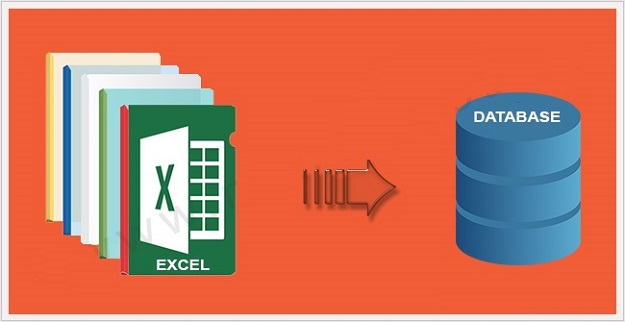
In modern web application development, reporting and data analysis are core requirements for almost every admin dashboard. Whether you are managing a user management system, an inventory control panel, or an e-commerce platform, clients and stakeholders constantly need to extract tabular data for offline analysis, auditing, or accounting. While there are numerous heavy third-party spreadsheet libraries available, developers often look for lightweight, lightning-fast, and native solutions. Mastering how to export data to excel using php and mysql without relying on bloated external packages is an essential skill that gives you complete control over memory allocation, formatting speed, and server resource management.
In this comprehensive technical tutorial, we will walk through the exact workflow required to query database records, format data cleanly, set proper HTTP response headers, and stream a downloadable spreadsheet directly to the user’s browser. We will also address crucial server-side configurations like execution timeouts and secure data handling to ensure your script runs smoothly even with massive datasets.
Why Native PHP Export is Superior to Heavy Libraries
Many beginner developers immediately turn to massive composer packages like PHPExcel or PhpSpreadsheet for generating spreadsheets. While those libraries offer rich styling (colors, fonts, borders), they are notoriously heavy on server memory. For large datasets containing tens of thousands of rows, these libraries frequently trigger fatal PHP out-of-memory errors.
By generating a properly structured CSV (Comma Separated Values) file that opens natively in Microsoft Excel, Google Sheets, or LibreOffice Calc, you eliminate memory overhead entirely. A native approach executes in a fraction of a second, consumes negligible RAM, and requires zero external library dependencies, making it ideal for high-performance production servers.
1. Establishing a Secure Database Connection
The foundation of any data export utility is a stable and secure database connection. To prevent character encoding corruption—especially when dealing with special symbols, international characters, or multi-language content—you must explicitly declare the UTF-8 charset immediately after connecting via MySQLi or PDO. You can refer to the official PHP MySQLi documentation for advanced connection flags and security options.
Additionally, just as you ensure strict validation when you securely upload files using php and mysql, database export endpoints must also be heavily protected against unauthorized access. Below is the secure connection initialization snippet:
<?php
$host = 'localhost';
$username = 'db_user';
$password = 'db_password';
$database = 'db_name';

$conn = new mysqli($host, $username, $password, $database);

if ($conn->connect_error) {
    die("Database Connection Failed: " . $conn->connect_error);
}

$conn->set_charset("utf8");
?>
2. Fetching Records and Managing Large Datasets
When executing scripts designed to export data to excel using php and mysql, performance optimization is critical. If your database table holds hundreds of thousands of records, loading everything into a single array will crash your PHP process. To prevent timeouts and server strain, you must configure server limits dynamically at the top of your script.
Using functions like set_time_limit() and modifying memory_limit ensures your script stays alive during heavy data processing. Furthermore, if you are also managing database maintenance workflows alongside exports, keeping your backup routines streamlined—similar to how you backup and export mysql database using php script—keeps your entire server infrastructure clean and stable.
3. Writing the Export Headers and Output Stream Logic
To force the browser to download the generated text stream as an Excel-compatible file rather than rendering it on the screen, you must send specific HTTP headers. Setting the Content-Type to text/csv or application/vnd.ms-excel along with a dynamic filename triggers the browser’s download manager instantly.
Here is the complete, production-ready script that fetches table rows and streams them directly into a downloadable spreadsheet file:
<?php
// Prevent timeout and memory exhaustion for large tables
set_time_limit(300);
ini_set('memory_limit', '256M');

// Database connection parameters
$host = 'localhost';
$username = 'db_user';
$password = 'db_password';
$database = 'db_name';

$conn = new mysqli($host, $username, $password, $database);
if ($conn->connect_error) {
    die("Connection failed: " . $conn->connect_error);
}
$conn->set_charset("utf8");

// Define filename with current timestamp
$filename = "user_data_export_" . date('Y-m-d') . ".csv";

// Tell the browser to force download the file
header('Content-Type: text/csv; charset=utf-8');
header('Content-Disposition: attachment; filename="' . $filename . '"');

// Open the output stream
$output = fopen('php://output', 'w');

// Output the column headings
fputcsv($output, array('ID', 'Username', 'Email', 'Registration Date', 'Status'));

// Fetch data from database table
$query = "SELECT id, username, email, created_at, status FROM users ORDER BY id DESC";
$result = $conn->query($query);

if ($result->num_rows > 0) {
    while ($row = $result->fetch_assoc()) {
        fputcsv($output, $row);
    }
}

// Close output stream and connection
fclose($output);
$conn->close();
exit();
?>
Security and Access Control Best Practices
Export scripts are prime targets for malicious actors because they expose raw database tables. If left unprotected, an attacker could trigger continuous exports, leading to high server CPU usage and Denial of Service (DoS).
- Enforce Admin Authentication: Never place an export script in a publicly accessible directory without checking session variables or admin tokens first.
- Sanitize Query Parameters: If your export filters data based on user input (such as date ranges or categories), always use prepared statements to prevent SQL Injection.
- Rate Limit Requests: Implement session-based timestamps to prevent users from spamming the export button and overloading database connections.
Wrapping Up
Building a native export utility gives your web application high-speed performance, absolute memory efficiency, and complete independence from heavy third-party plugins. By combining proper HTTP headers, safe database queries, and robust server resource configurations, you can handle large data extracts effortlessly. Once your reporting infrastructure is fully established, you can also style your admin dashboards beautifully using pure css glassmorphism cards to enhance user experience. Implementing this script in your development environment, secure your endpoint, and optimize your workflow today!


