

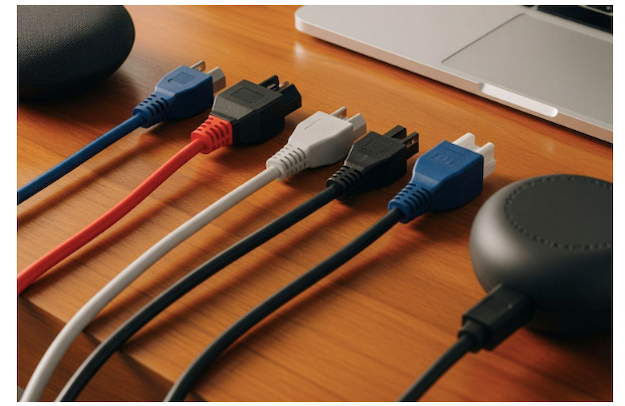
Have you ever seen the thick black cable at the back of your computer and wondered what it is? That is an IEC power cable. They connect your electronic devices to wall outlets. They’re all around your home and office.
IEC stands for International Electrotechnical Commission. An IEC power cord follows international standards, which means that the same cable type works with different devices and across different countries.
IEC power cables are used with your computer, monitor, printer, and other gadgets. They come in many different shapes and sizes, each with a specific purpose. Knowing the types of IEC power cables will make it easier to replace broken cables and select the right cable for new equipment. Discover the 5 most important IEC power cable types for your devices. Learn which IEC power cord works best for computers, monitors, and appliances in this complete guide.
Why IEC Power Cable Standards Matter
Life is made easier for everyone by IEC standards. Before these standards, every company had their own cables. Nowadays, most of the devices work with standard IEC power cord types. The cable used by an HP computer is the same as the cable used by a Dell computer.
They also make sure that it is safe. Every IEC power cable has a limit of how much electricity it can take. The right cable keeps fires and electrical damage at bay.
IEC Power Cables Explained: 5 Types You Need To Know
Understanding IEC power cables is essential for safely connecting electronics. Here are five key types you should know for reliable performance.
IEC Power Cable Type 1: C13/C14 (The Computer Cable)
The most common IEC power cable you’ll see is the C13/C14. This type is used by almost every desktop computer. It is used by many monitors and printers as well. You plug the C14 into your device. A power strip or UPS connects to the C13 end.
What Makes C13/C14 Special
This IEC power cord can take up to 10 amps of current. That’s enough power to supply most office equipment. It has three pins in a certain pattern. This design stops you from plugging it in backwards.
Common Uses
C13/C14 cables are used the most by desktop computers. This IEC power cable is used on most LCD monitors and many printers. It’s also used in network switches and some gaming consoles.
IEC Power Cable Type 2: C5/C6 (The Laptop Brick Cable)
The C5/C6 connector is a small figure eight or Mickey Mouse head. This power cord is an IEC power cord that connects a laptop power adapter to a wall outlet. It is smaller and lighter than the C13/C14 type.
Why C5/C6 Exists
The laptop power adapters have to be portable. Other types are much larger than the C5/C6 connector. It saves space and weight in your laptop bag. It still provides reliable power connection through the connector.
Where You’ll Find Them
C5/C6 connectors are used in most laptop power adapters. They’re also used in some small printers and portable speakers. C5/C6 cables are sometimes used by DVD players and cable boxes.
Don’t Miss –
The 3 Types of Network Cables and their Uses
3 Types of USB Cables and Understanding their Uses
IEC Power Cable Type 3: C7/C8 (The Two-Pin Wonder)
The C7/C8 connector has two pins instead of three. This IEC power cord does not have ground connection. It’s meant for devices that don’t need grounding for safety.
Understanding Two-Pin Design
C7/C8 connectors are used on devices which have plastic cases. Grounding isn’t necessary, because plastic doesn’t conduct electricity. It makes the cable simpler and cheaper.
Typical Applications
C7/C8 IEC power cables are used in many small electronics. This is the connector you see on radio alarm clocks, small fans and phone chargers. This type is used for some portable speakers and basic electronics.
Safety Notes
Use C7/C8 cables only with devices made for them. You should never use them to replace three pin connectors. The lack of ground connection could be dangerous.
IEC Power Cable Type 4: C19/C20 (The Heavy-Duty Option)
The C19/C20 is the bigger, more powerful brother of the C13/C14. The electrical current this IEC power cable can handle is much more. It’s for high power equipment that needs an extra supply of electricity.
High-Power Capabilities
C19/C20 connectors can take 16 amps of current, 60 percent more than C13/C14 cables. Because of this extra capacity, they are perfect for power-hungry equipment. The connector is obviously bigger and heavier.
Professional Equipment Uses
C19/C20 IEC power cords are often used on server computers. This type is used in high-end workstations and large network equipment.
IEC Power Cable Type 5: C15/C16 (The Heat-Resistant Choice)
It looks very similar to C13/C14 but has a small notch. But this notch isn’t just for looks. This IEC power cable can withstand higher temperatures, which means the cable and connector are heat-resistant.
Heat-Resistant Features
C15/C16 connectors can safely operate at higher temperatures than standard cables. They’re made with special materials that don’t melt or degrade easily. This makes them perfect for equipment that gets hot during operation.
Hot Equipment Applications
C15/C16 IEC power cords are common in electric kettles and coffee makers. This type is used in high-powered amplifiers and server equipment in hot environments.
Compatibility Issues
It is safe to replace C13/C14 cables with C15/C16 cables in most cases. Nevertheless, C15/C16 types should never be substituted with C13/C14 cables. Heat resistance is important for safety in high-temperature applications.
Choosing the Right IEC Power Cable
Always check what type your device needs before buying a replacement. Look at the connector shape and size carefully. Never force a connector that doesn’t fit easily.
Buy IEC power cables from reputable suppliers. Quality cables last longer and provide better protection for your electronics.
Conclusion
Understanding these five essential IEC power cable types helps you manage your electronics better. The C13/C14 handles most computers and office equipment. C5/C6 works for laptops and small devices.
C7/C8 serves simple two-pin electronics. C19/C20 powers heavy-duty equipment. C15/C16 resists heat for demanding applications.
Keep this guide handy when shopping for replacement cables. Choose the right IEC power cord for each device. Proper power connections will make your electronics work better and last longer.


