

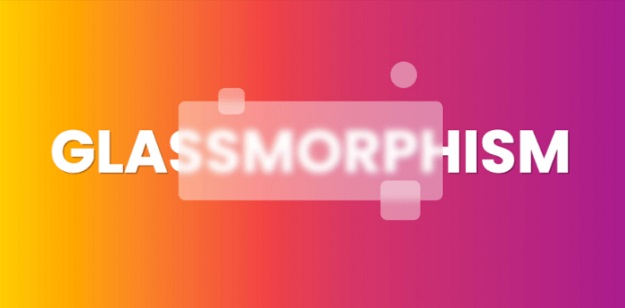
Modern web design trends come and go, but the frosted glass aesthetic—popularly known as glassmorphism—is here to stay. By blending semi-transparent backgrounds with vibrant background blurs and subtle borders, developers can create futuristic user interfaces that instantly catch the eye. If you want to elevate your UI design without adding heavy JavaScript libraries, implementing pure css glassmorphism cards is the ultimate way to do it.
In this curated collection, we have shared 10+ unique and creative pure css glassmorphism cards complete with ready-to-use HTML and CSS code snippets. Whether you are building a SaaS pricing table, a user profile widget, or a login box, these components will make your site look cutting-edge.
What is Glassmorphism and Why Use Pure CSS?
Glassmorphism mimics frosted glass floating over a colorful background. The core illusion relies heavily on the CSS backdrop-filter property combined with semi-transparent RGBA color values and a subtle border stroke.
Key Advantages:
- No Heavy Plugins: Pure CSS means zero performance lag and blazing-fast loading speeds.
- High Customization: Easily modify blur radius, opacity, and shadow depths using native CSS.
- Cross-Browser Support: Fully compatible with all modern browsers (Chrome, Safari, Firefox, Edge).
1. Standard Frosted Glass Content Card
A classic, versatile card layout designed for general blog posts, text snippets, or feature highlights.
<div class="glass-card">
    <h3>Standard Glass Card</h3>
    <p>Clean frosted glass aesthetic using backdrop-filter blur.</p>
</div>

<style>
.glass-card {
    background: rgba(255, 255, 255, 0.1);
    padding: 25px;
    border-radius: 16px;
    box-shadow: 0 4px 30px rgba(0, 0, 0, 0.1);
    backdrop-filter: blur(10px);
    -webkit-backdrop-filter: blur(10px);
    border: 1px solid rgba(255, 255, 255, 0.2);
    color: #fff;
}
</style>
2. Glowing Neon Border Glass Card
Adds an extra layer of visual depth with a vibrant colored border glow.
<div class="neon-glass-card">
    <h3>Neon Glow Card</h3>
    <p>Enhanced with a colorful translucent border.</p>
</div>

<style>
.neon-glass-card {
    background: rgba(0, 0, 0, 0.2);
    padding: 25px;
    border-radius: 20px;
    backdrop-filter: blur(12px);
    border: 2px solid rgba(0, 255, 255, 0.4);
    box-shadow: 0 0 20px rgba(0, 255, 255, 0.2);
    color: #fff;
}
</style>
3. User Profile Glass Avatar Card
Ideal for author boxes, team sections, or community member profiles.
<div class="profile-glass-card">
    <img src="avatar.jpg" alt="User" style="width:70px;height:70px;border-radius:50%;border:2px solid #fff;">
    <h4>Alex Morgan</h4>
    <p>Lead UI/UX Developer</p>
</div>

<style>
.profile-glass-card {
    background: rgba(255, 255, 255, 0.15);
    padding: 30px;
    border-radius: 24px;
    text-align: center;
    backdrop-filter: blur(15px);
    border: 1px solid rgba(255, 255, 255, 0.3);
    color: #fff;
}
</style>
4. Pricing Table Glassmorphism Card
Highlight subscription tiers and SaaS pricing plans with frosted containers.
<div class="pricing-glass-card">
    <h3>Pro Plan</h3>
    <h2>$29/mo</h2>
    <p>Unlimited access to all developer resources.</p>
    <button style="background:rgba(255,255,255,0.3);border:none;padding:10px 20px;color:#fff;border-radius:8px;cursor:pointer;">Choose Plan</button>
</div>

<style>
.pricing-glass-card {
    background: rgba(255, 255, 255, 0.08);
    padding: 35px;
    border-radius: 18px;
    backdrop-filter: blur(10px);
    border: 1px solid rgba(255, 255, 255, 0.2);
    color: #fff;
    text-align: center;
}
</style>
5. Modern Login or Sign-Up Box
Create sleek authentication forms layered over dynamic backgrounds.
<div class="auth-glass-card">
    <h3>Welcome Back</h3>
    <input type="email" placeholder="Email Address" style="width:100%;padding:10px;margin:10px 0;background:rgba(255,255,255,0.1);border:1px solid rgba(255,255,255,0.2);border-radius:6px;color:#fff;">
</div>

<style>
.auth-glass-card {
    background: rgba(255, 255, 255, 0.12);
    padding: 30px;
    border-radius: 20px;
    backdrop-filter: blur(14px);
    border: 1px solid rgba(255, 255, 255, 0.25);
    color: #fff;
}
</style>
6. Interactive Hover-Lift Glass Card
Elevates smoothly on mouse hover using CSS transition and transform properties.
<div class="hover-glass-card">
    <h3>Hover Effect</h3>
    <p>Moves upward gracefully when hovered.</p>
</div>

<style>
.hover-glass-card {
    background: rgba(255, 255, 255, 0.1);
    padding: 25px;
    border-radius: 16px;
    backdrop-filter: blur(10px);
    border: 1px solid rgba(255, 255, 255, 0.2);
    color: #fff;
    transition: transform 0.3s ease, box-shadow 0.3s ease;
}
.hover-glass-card:hover {
    transform: translateY(-8px);
    box-shadow: 0 10px 40px rgba(0, 0, 0, 0.2);
}
</style>
7. Dark Mode Frosted Glass Card
Engineered specifically for sleek dark-themed dashboards and apps.
<div class="dark-glass-card">
    <h3>Dark Glass</h3>
    <p>Deep charcoal backdrop with subtle translucent white borders.</p>
</div>

<style>
.dark-glass-card {
    background: rgba(20, 20, 20, 0.4);
    padding: 25px;
    border-radius: 16px;
    backdrop-filter: blur(12px);
    border: 1px solid rgba(255, 255, 255, 0.1);
    color: #e0e0e0;
}
</style>
8. Colorful Gradient-Tinted Glass Card
Infuses subtle pink or purple color tints right into the translucent layer.
<div class="tinted-glass-card">
    <h3>Tinted Glass</h3>
    <p>Blended with a soft pinkish-purple hue overlay.</p>
</div>

<style>
.tinted-glass-card {
    background: rgba(255, 105, 180, 0.15);
    padding: 25px;
    border-radius: 16px;
    backdrop-filter: blur(10px);
    border: 1px solid rgba(255, 255, 255, 0.3);
    color: #fff;
}
</style>
9. Statistics or Metric Counter Glass Widget
Great for analytics dashboards to display key performance metrics.
<div class="stats-glass-card">
    <h2 style="font-size:36px;margin:0;">99.9%</h2>
    <p style="margin:5px 0 0 0;">Server Uptime Guaranteed</p>
</div>

<style>
.stats-glass-card {
    background: rgba(255, 255, 255, 0.08);
    padding: 25px;
    border-radius: 20px;
    backdrop-filter: blur(10px);
    border: 1px solid rgba(255, 255, 255, 0.2);
    color: #fff;
    text-align: center;
}
</style>
10. Compact Icon Feature Glass Card
Minimalist layout featuring a small icon placeholder and concise title.
<div class="icon-glass-card">
    <div style="font-size:24px;margin-bottom:10px;">⚡</div>
    <h4>Lightning Fast</h4>
    <p style="font-size:14px;">Optimized with lightweight pure CSS properties.</p>
</div>

<style>
.icon-glass-card {
    background: rgba(255, 255, 255, 0.12);
    padding: 20px;
    border-radius: 14px;
    backdrop-filter: blur(10px);
    border: 1px solid rgba(255, 255, 255, 0.2);
    color: #fff;
}
</style>
Best Practices for Implementing Glassmorphism
When styling your cards, always ensure your background container has a rich gradient or dynamic colorful shapes (like blurred glowing circles). Without a vibrant background beneath it, the frosted glass effect will look flat and won’t stand out properly.
Don’t Miss – 12+ Essential .htaccess Tricks to Boost Website Speed & Security in 2026
Wrapping Up
Implementing these creative pure css glassmorphism cards is one of the fastest and most efficient ways to modernize your user interfaces without adding heavy JavaScript plugins. By leveraging native browser features like backdrop-filter, you achieve high-end futuristic visuals with a minimal code footprint.
Mastering these pure css glassmorphism cards techniques guarantees that your website stays visually engaging, lightweight, and fully optimized for top performance. Always test your UI layouts across mobile viewports to ensure smooth hardware acceleration. Have any questions or need help customizing a specific code snippet? Drop a comment below!


