


Blank page syndrome hits faster when you are staring at a content calendar with six drafts due before Friday. Picking from the best ai content writing tools can help you move from rough outlines to structured drafts much faster, provided you treat the software as a drafting assistant rather than a replacement for real subject knowledge and editorial judgment.
The challenge is that not every writing assistant works the same way. Some tools are built for open-ended brainstorming and technical explanations, while others focus on marketing landing pages, long-form fiction, paraphrasing, or structured campaign templates. Below is a practical look at six well-known AI writing tools in 2026, complete with pros, cons, and realistic use cases so you can choose what actually fits your workflow.
Quick Comparison: Choosing the Right AI Writing Tool
Before diving into the individual reviews, use this quick table to compare how each tool fits different writing tasks.
| Tool | Primary Strength | Best For | Watch-Out |
|---|---|---|---|
| ChatGPT | Versatile reasoning, outlining & multi-format drafting | Blog outlines, research synthesis & technical/general drafts | Requires clear prompts and fact-checking to avoid generic phrasing |
| QuillBot | Sentence rewriting, paraphrasing & tone adjustment | Polishing clunky sentences, summarizing & grammar cleanup | Over-paraphrasing can flatten voice or alter subtle meaning |
| Jasper | Marketing templates, brand voice & campaign workflows | Ads, product copy, landing pages & team campaigns | Subscription cost adds up for solo bloggers with light volume |
| Contents.com | Multi-format content generation & workflow templates | Social posts, product descriptions & marketing assets | Still needs human editing for depth, accuracy, and brand nuance |
| Sudowrite | Creative brainstorming, scene expansion & narrative flow | Fiction, storytelling, character notes & creative prose | Not designed for technical guides or dry analytical reporting |
| Chibi AI | Guided prompting, tone control & iterative drafting | Writers who want step-by-step control over pacing and style | Smaller ecosystem compared to mainstream enterprise suites |
1. ChatGPT
ChatGPT remains one of the most flexible assistants for everyday writing workflows. Instead of locking you into rigid marketing boxes, it lets you work conversationally—starting with topic angles, moving to a section-by-section outline, testing different openings, and refining rough paragraphs until the structure makes sense. When paired with thought leadership and practical linkbuilding workflows, it is especially useful for turning your own experience and data into clear, readable drafts.
Pros
- Handles diverse tasks in one place, from brainstorming and structuring to summarizing and rewriting.
- Adapts well to detailed style instructions, audience level, and formatting constraints.
- Useful for clarifying complex ideas before you write the final human polish.
Cons
- Can produce repetitive transitions or overly smooth filler if your prompt lacks specific examples.
- Claims, statistics, or niche details still require manual verification before publishing.
2. QuillBot

QuillBot shines when you already have raw notes or a rough draft and need help smoothing out awkward phrasing. Rather than generating an entire article from scratch, its strength lies in paraphrasing sentences in different modes, tightening wordy paragraphs, summarizing long text, and catching grammar issues quickly. Many writers keep it in their toolkit for the editing stage when a paragraph feels stiff or repetitive.
Pros
- Fast, intuitive interface for rephrasing individual sentences or tightening dense paragraphs.
- Helpful built-in utilities like a summarizer and grammar check for quick cleanup.
- Easy for beginners to pick up without a steep learning curve.
Cons
- Aggressive rewriting modes can strip away your natural voice or shift technical nuance.
- Not a full content-strategy or long-form research platform on its own.
3. Jasper

Jasper is geared toward marketing teams and businesses that produce high volumes of promotional and campaign copy. It offers structured templates and workflow tools for ad variations, email sequences, landing pages, and brand-consistent messaging across multiple contributors. If your day-to-day work revolves around conversion copy and repeatable campaign assets rather than standalone tutorials, its structured approach can save setup time.
Pros
- Built around marketing workflows, campaign templates, and team collaboration.
- Helps maintain consistent tone guidelines across recurring promotional content.
- Useful for generating multiple headline or angle variations quickly.
Cons
- Pricing can feel heavy for independent creators or low-traffic niche sites.
- Template-driven drafts often sound formulaic unless heavily customized with real examples.
4. Contents.com

Contents.com positions itself as an all-in-one content creation platform aimed at marketers, agencies, and businesses managing multiple channels. It supports generating copy across formats—such as social updates, product descriptions, and blog drafts—alongside visual and workflow tools in a single workspace. When evaluating the best ai content writing tools for multi-channel marketing, platforms like this appeal to teams that want templates and asset generation under one roof.
For teams tracking broader digital operations and software stacks, it often sits alongside other business utilities such as small business accounting software when budgeting recurring SaaS subscriptions across a growing operation.
Pros
- Brings multi-format text and content workflows together in one dashboard.
- Helpful starting point for short-form social copy, descriptions, and campaign drafts.
- Reduces manual setup when moving across several standard content formats.
Cons
- Generic outputs still require real domain expertise to rank or earn reader trust.
- Less suited to deep, hands-on technical tutorials that demand tested code or benchmarks.
5. Sudowrite

Sudowrite takes a very different angle by focusing on creative writing and storytelling rather than business copywriting. Writers use it to beat creative blocks, expand a thin scene, explore alternative plot directions, and keep track of story elements like characters and world details. Because creative prose relies on rhythm, emotion, and imagery rather than SEO checklists, its tools are tuned toward narrative flow.
Pros
- Tailored specifically for fiction, creative scenes, and narrative brainstorming.
- Helpful when you want fresh angles or expanded descriptions during creative drafting.
- Supports iterative scene building without forcing rigid marketing templates.
Cons
- Poor fit for technical documentation, tutorials, or fact-driven business articles.
- Creative suggestions can easily drift off-point if not guided tightly by the author.
6. Chibi AI

Chibi AI appeals to writers who want granular control over how a draft is built instead of clicking a single “generate full post” button. Its workflow emphasizes guided instructions, tone control, and step-by-step expansion or condensing so you stay actively in the driver’s seat. For guidance on how search engines evaluate helpful, people-first content versus low-effort automated text, reviewing Google’s helpful content documentation is a smart habit before publishing any AI-assisted draft.
Pros
- Encourages step-by-step drafting and explicit control over tone and constraints.
- Good middle ground for writers who want assistance without losing editorial control.
- Useful for expanding rough bullet points or tightening bloated sections.
Cons
- Smaller community and fewer third-party integrations than major platforms.
- Still depends on clear human direction to produce accurate, original insights.
7. Writesonic
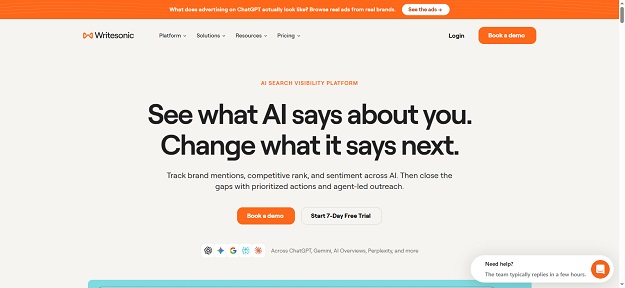
Writesonic is an SEO-focused AI content platform built for bloggers, marketers, and content teams that want structured first drafts alongside keyword and optimization guidance. Instead of acting purely as an open chat window, it combines an AI Article Writer, Chatsonic, brand voice presets, and an on-page SEO checker so you can go from keyword brief to structured headings in one dashboard.
Pros
- Generates well-structured blog outlines and SEO-aligned drafts with headings and meta suggestions quickly.
- Includes built-in optimization checks, brand voice controls, and templates for ads, landing pages, and articles.
- Supports multi-language drafting and direct publishing workflows for content teams.
Cons
- Long-form drafts can still feel templated and need human editing to remove generic transitions and add original insight.
- Higher-tier SEO and AI visibility features are gated behind more expensive plans.
8. Google Gemini
Google Gemini works as a versatile AI writing and research assistant—especially if your workflow already lives inside Google Docs, Gmail, and Google Drive. Beyond drafting articles, outlines, and summaries from scratch, Gemini can pull context from your existing Drive notes, match the tone of previous documents, and refine rough paragraphs directly inside Google Docs without switching tabs.
Pros
- Seamless integration with Google Docs, Gmail, and Drive for drafting, rewriting, and summarizing in place.
- Strong at synthesizing research notes, restructuring messy drafts, and matching existing document styles.
- Accessible across both standalone web/mobile apps and Google Workspace workflows.
Cons
- Advanced Workspace features (like cross-file drafting and style matching) require paid Google Workspace or AI plans.
- Like any general-purpose model, factual claims, dates, and technical specifics still require human verification before publishing.
How to Use AI Writing Tools Without Hurting Quality
Even strong software creates problems when treated as an autopilot button. Search engines and human readers both spot thin, repetitive articles quickly—especially when a post repeats surface-level summaries that already exist across dozens of other sites.
- Start with a real point of view: Decide what practical lesson, comparison, or real-world experience the reader will get before generating a single paragraph.
- Use AI for structure and speed, not blind publishing: Let the tool help outline, rephrase rough sentences, or brainstorm angles, then rewrite weak sections in your own words.
- Verify every factual claim: Double-check numbers, dates, feature claims, and product details yourself so outdated assumptions do not slip into a live post.
- Prioritize depth over post count: One thorough, genuinely useful article almost always outperforms five rushed, generic drafts over time.
Wrapping Up
Choosing from the best ai content writing tools comes down to matching the software to how you actually write and what your readers need. Some tools speed up early outlining and rough drafting, others help polish sentences or manage campaign templates, and none of them replace clear thinking, accurate facts, or genuine human editing. Pick one tool that fits your current workflow, test it on real drafts, and keep your standards high so every published post earns its place on your site.


